PÓLÓMŰVEK KNOWLEDGE BASE
PNG or JPG for T-shirt printing?
Both formats can be useful, but they solve different problems. The best file is the one that preserves the artwork correctly at the required print size.
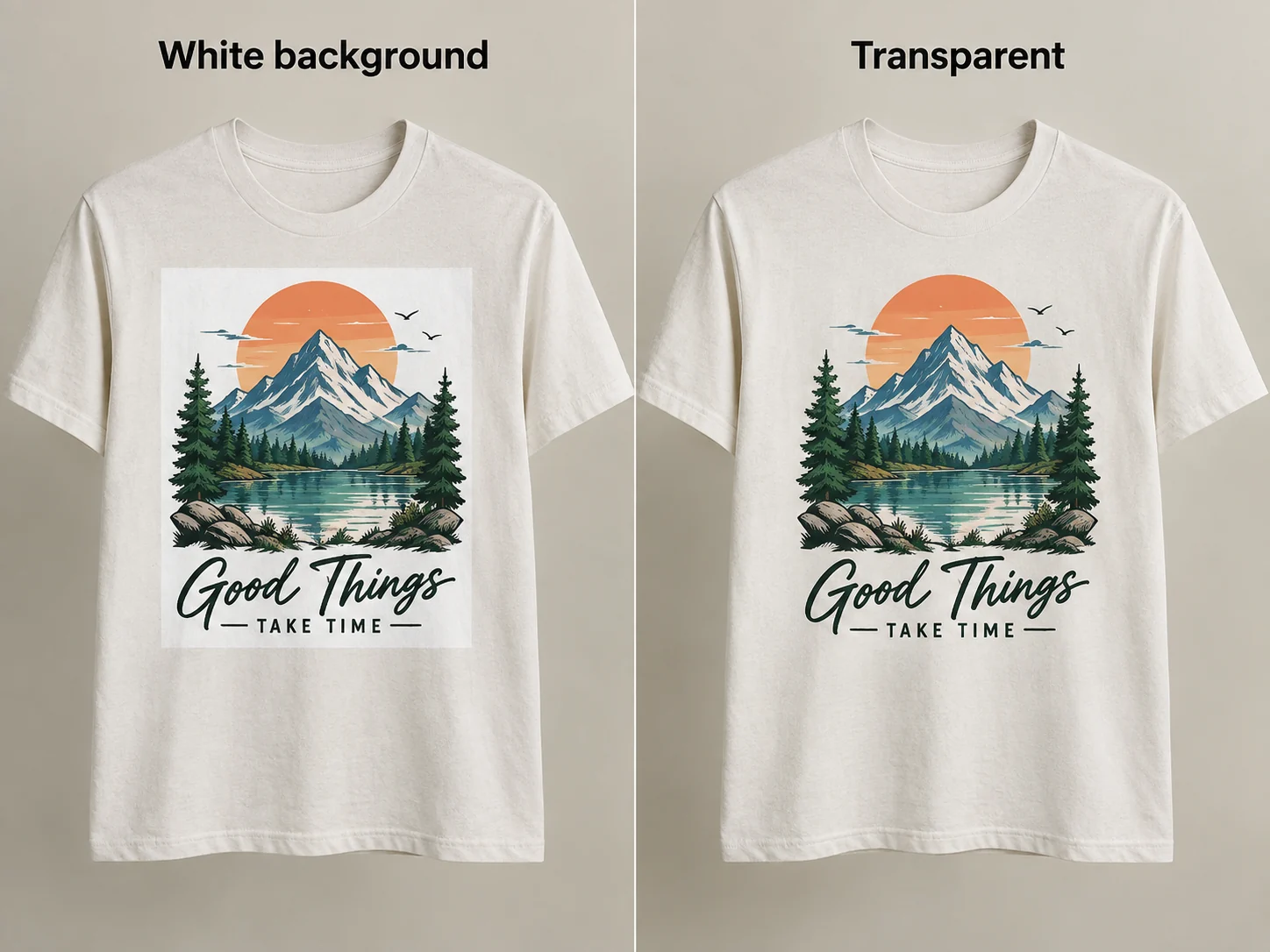
When PNG is better
PNG is usually preferred for logos, lettering, illustrations and designs that need transparent backgrounds. It also uses lossless compression, which avoids typical JPG block artefacts.
When JPG is suitable
A high-quality JPG can work very well for photographs and full rectangular compositions where transparency is not required. Export it at high quality and avoid repeatedly re-saving the file.
Transparency matters on garments
If a white background is part of the JPG, that white area may become part of the printed design. For isolated graphics, use a properly transparent PNG or a vector source.
File format does not replace resolution
A PNG can still be too small and a JPG can still be excellent. Pixel dimensions and source quality matter more than the extension alone.
Best practice
Keep the editable or original source file, export a high-resolution production version, and verify the background before upload. If a vector source exists for a logo, keep that as the master file.
Related guides
Design your T-shirt on Alkossegyedit.hu
Product selection, design, checkout and payment take place in the Alkossegyedit.hu webshop.