PÓLÓMŰVEK KNOWLEDGE BASE
What image resolution is needed for T-shirt printing?
Print quality depends on the relationship between pixel dimensions and the physical size of the print. A “300 PPI” label alone does not create detail if the file contains too few pixels.
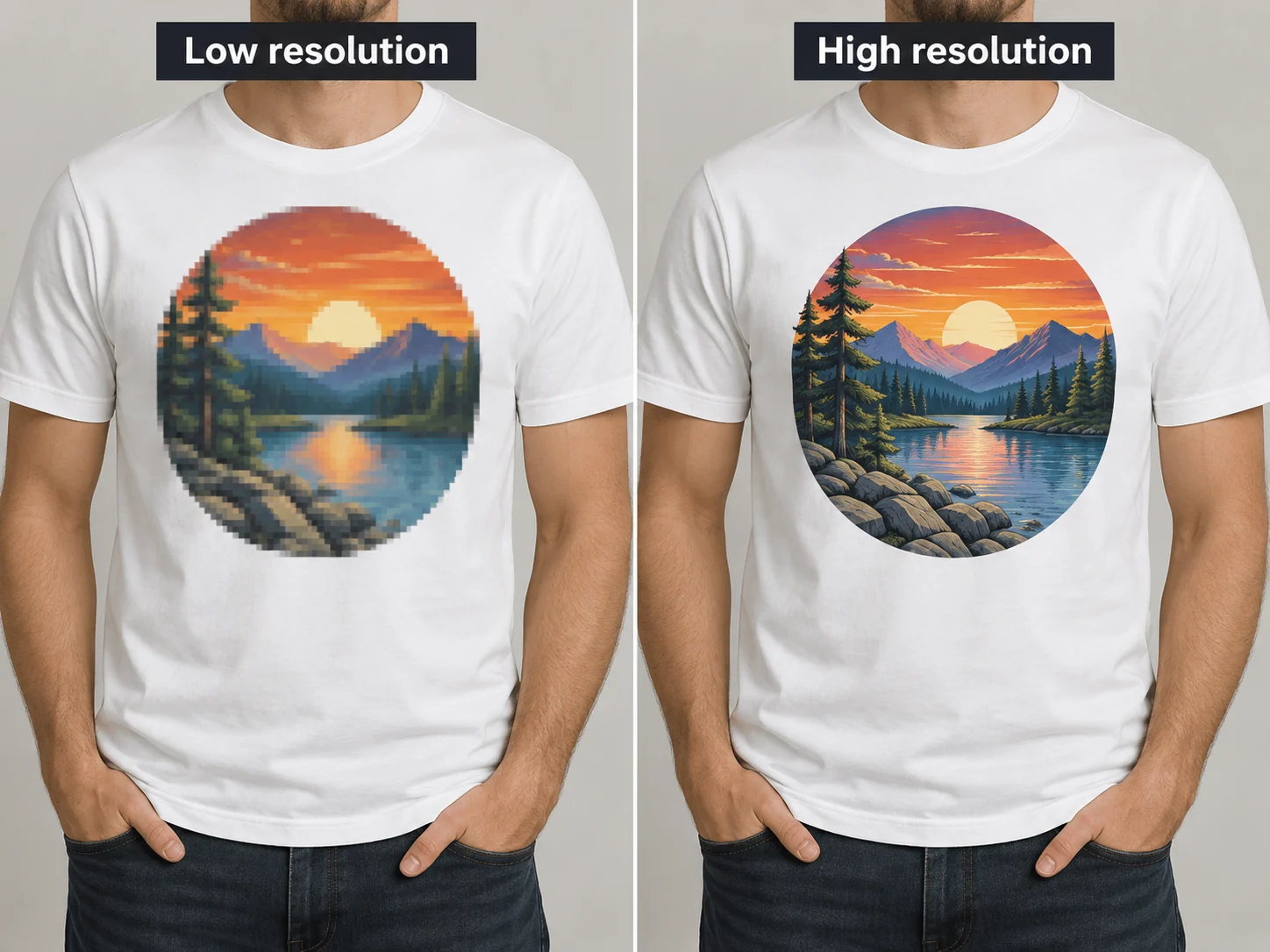
Pixels and physical print size
The larger you print an image, the more pixels you need. A small social-media preview can look clean on a screen but become visibly soft or pixelated as a large chest print.
What does 300 PPI mean?
300 PPI is a common reference point for high-quality print artwork. For example, an image that is 3000 pixels wide corresponds to about 25.4 cm at 300 PPI. If printed wider, its effective resolution falls.
Photos and graphics behave differently
Detailed photographs reveal resolution loss sooner than simple bold graphics. Logos and lettering are best kept as vector artwork whenever possible because vectors scale cleanly.
Avoid screenshots and forwarded files
Screenshots and images saved from messaging platforms may contain fewer pixels or stronger compression than the original. Always send the original export or camera file when possible.
Quick pre-print check
Check the file’s pixel dimensions and inspect it at 100% zoom. Look for jagged edges, compression blocks and softness before deciding on a large print size.
Related guides
Design your T-shirt on Alkossegyedit.hu
Product selection, design, checkout and payment take place in the Alkossegyedit.hu webshop.